Technology Training for Seniors
Build Confidence, Independence, and Connection Through Technology
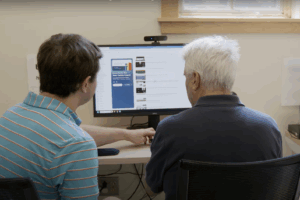
The Carroll Center for the Blind offers hands-on technology instruction that helps seniors with vision impairments learn to use technology independently. Programs are available for computers, iPhones, iPads, tablets, Microsoft Office applications, smartphones, and braille technology. Instruction is tailored to your needs, whether you are a new user, have recently upgraded your system, or want to learn a specific software program. Our skilled assistive technology instructors provide personalized guidance to ensure every learner gains confidence and independence.
Tim P.
“The Carroll Center opened up a whole new world for me. Before attending their program, I did not have my own email address. If my wife received an email for me, she would either read it to me or she would print it for me to read on my CCTV. At the Carroll Center, I was set up with my own email address. Now, I can read emails at my leisure. The [Carroll Center] has given me the confidence and tools to go out in the workforce and prove myself to potential employers.”
Basic Computing Program
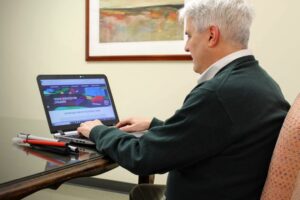
Two-week program designed for individuals who are novice computer users, new to using computers with assistive technology, or transitioning from low vision tools such as screen magnification software to screen readers. This training provides foundational instruction in the Windows operating system, Microsoft Word for preparing documents, Outlook for emailing, and web browsing. Students learn using the latest versions of JAWS for Windows, ZoomText Fusion, or ZoomText Magnifier/Reader programs. Participants must type 20 words per minute (WPM) with 90% accuracy, have note-taking abilities or devices, and read and write English. Having a personal email address and a computer or laptop at home is strongly encouraged to continue practice after the program.
Shorter Duration Courses
Ranging from as little as three hours to several days, these sessions are offered on select topics for individuals who want to focus on specific applications or skills. Topics range from artificial intelligence (AI), Google Workspace products such as Google Docs and Google Sheets, Apple iOS and macOS, and Microsoft Office skills from beginner to advanced levels. Individualized instruction is also available for participants using specialized technology.
Meta Glasses Training
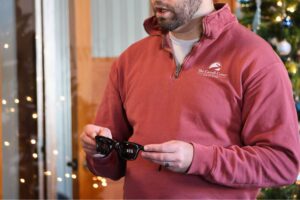
Learn how to read text, gain environmental information, connect to apps like Be My Eyes, and more through this 2-hour individualized, hands-on Meta Glasses training. Designed to enhance confidence to either purchase Meta glasses or use your own pair more effectively. Free for any Massachusetts residents registered with the Massachusetts Commission for the Blind. Please note that the use of Meta glasses requires a smartphone or tablet.
Resources
The Windows Screen Reader Primer: All the Basics and More
The Windows Screen Reader Primer is a free training resource designed to help beginning and intermediate JAWS, NVDA, and Windows Narrator users work more effectively with the most important PC applications. It was written by David Kingsbury, an Assistive Technology Instructor at the Carroll Center for the Blind, and is available in Word and ePub formats.
Learn More and Download The Windows Screen Reader Primer Book